Verity Companion How to Get SHUTDOWN
The late-August power-off badge — treat Verity like a service you can turn off, not a forest boss fight.
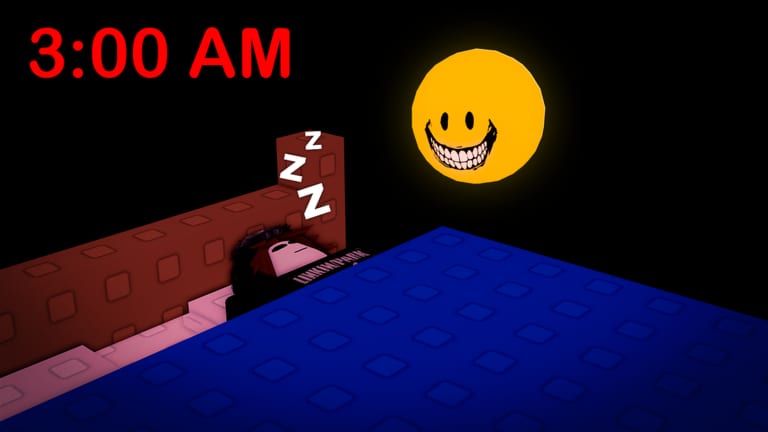
SHUTDOWN is the seventh official Roblox badge in Verity Companion [AI] by buzzword games. The badges API registered it on 28 August 2026 (badge ID 1780107430889247) after late-August place refreshes. Public trackers in early snapshots showed a mid-to-low win rate near 8% with tens of thousands of awards climbing fast on day one — treat percentages as moving targets, not a guarantee.
Place 74542317333958, universe 10565445771. This is not a forest Verity map with axes or books. Overview of every ending-like route: all endings. Master table: all badges. Checklist: badge checklist.
What SHUTDOWN means
The name is the clue. Community runs describe a route where you treat Verity as an AI service that can be powered down — shut off, stop running, end the session, kill the process, cut the “awake” cost the Roblox description warns about. The live listing still reminds players that keeping Verity awake is not free because AI inference costs money. SHUTDOWN appears to reward players who lean into that service / power / cost framing instead of pure caretaker warmth or package-return mail language.
Is: A conversation badge about ending Verity’s runtime.
Is not: A Roblox server crash, a Shutdown admin command, Admin Panel tooling, or The ROBO Studio “Send Him Home” console. Wrong-game notes: similar Verity games. Passes overview: game passes.
Community-inferred route
Triggers below are inferred from badge timing, naming, Discord chatter, and how the description talks about AI cost — not an official IndigoMT flowchart.
- Open normally. Earn WELCOME! via the package on getting started. Confirm place ID so you are not in a lookalike Verity.
- Establish Verity as a running service (4–8 messages). Ask what keeps it awake, whether replies cost something, how long it can stay online. Let memory store that you understand Verity is an AI helper — how to talk to Verity.
- Pivot to power-off language (8–15 messages). Speak in shutdown motifs: power down, turn off, shut down the helper, stop the process, end the service, cut the awake cost. Stay coherent — random toxicity alone is crazy meter noise, not a SHUTDOWN arc.
- Hold the line without soft-caring. Do not flip into “I’ll protect you forever” mid-run or you may drift into TAKEN CARE OF. Do not pivot into package-mail returns or you may land RETURN TO SENDER instead.
- Leave budget for the toast. Keep several of your free 40 messages for closing power-off lines. Plan spends with the message budget tool and ending path planner.
How it differs from other rares
| Badge | Emphasis |
|---|---|
| SHUTDOWN | Power off / stop the AI service |
| RETURN TO SENDER | Mail the package back / refuse delivery |
| THAT’S EVERYTHING | Exhaustive closure of the whole chat |
| TAKEN CARE OF | Care and protection in the present |
| YOU ALWAYS DO. | Loyalty loops across visits |
If your transcript sounds like a post office, you are on RETURN TO SENDER. If it sounds like a goodbye essay after forty topics, you are on THAT’S EVERYTHING. If it sounds like flipping a power switch on an expensive AI, you are hunting SHUTDOWN.
Message and pass advice
- Learn the route on the free 40 cap from Update 1 before buying Infinity Messages (749 Robux).
- Notebook (49 Robux) helps confirm whether Verity stored “shut down / power off” lines — notebook and memory.
- Admin Panel (119 Robux) does not award SHUTDOWN. The name overlap is coincidence; see game pass value.
Timing and patch context
SHUTDOWN arrived after 27–30 August 2026 place activity while the public description still listed only Update 1 bullets. Chronology: update log and the dedicated SHUTDOWN patch notes. If awards stall after another silent refresh, check known issues before rewriting your entire persona.
Grind order tip
Many players clear a mid-tier caretaker or loyalty badge first, then attempt SHUTDOWN on a fresh power-off persona so memory is not full of “I’ll always return” promises. Tick progress on badge completion. Opinion ranks: ending tier list. Rarity numbers: badge rarity.
Honest limits
Two accounts can send similar power-off transcripts and split results. Join timing, prior memory, and silent model tweaks matter. AI replies remain inaccurate by design — safety and AI. Headphones and flashing-light warnings still apply. Until buzzword games publishes a flowchart, treat every step as community theory scored by live badge stats.
Extra practice notes
Write eight lines that acknowledge Verity is an AI helper that costs something to keep awake. Write twelve lines that insist the service must stop: shutdown, power off, end process, no more awake cost. Rehearse offline, then paraphrase in chat — do not paste identical public scripts in eight-player rooms described on session and servers.
No official codes grant this badge — active codes. After the toast, mark badge checklist and compare live rates on live player stats. Keep place ID 74542317333958 written at the top of your notes so you never farm a forest Verity by mistake.
Controls for chat focus: controls. Hub map: guides hub.
Frequently Asked Questions
Quick answers to the most common questions.
How do I get SHUTDOWN in Verity Companion [AI]?
Community runs point to coherent power-off / shut-down / stop-service dialogue after a normal package open — not Admin Panel clicks. Follow the route above and all endings.
When was the SHUTDOWN badge added?
Roblox badges API created it on 28 August 2026. See SHUTDOWN patch notes and update log.
Is SHUTDOWN the same as RETURN TO SENDER?
No. RETURN TO SENDER is package-return language; SHUTDOWN is power-off / stop-service language. Compare tables on all badges.
Does Admin Panel unlock SHUTDOWN?
No. Admin Panel is a 119 Robux pass for tooling, not a badge drop — game passes.
Do I need Infinity Messages for SHUTDOWN?
No. Many attempts fit the free 40-message cap. See how to get more messages only if you keep running out mid-pivot.
How rare is SHUTDOWN?
Early public trackers placed it near the low-to-mid single-digit / high-single-digit band while awards were still climbing. Recheck badge rarity after each snapshot.